The request arrives in the IT security team's queue six weeks before the planned go-live. A safety AI system is being deployed across the site — existing cameras, on-premise server, new detection and monitoring capability. It needs to connect to the camera network. It also needs to send alerts to the control room display and supervisor smartwatches. The safety team has signed the commercial agreement. The IT security team has not been consulted.
This is the typical sequence in a safety AI deployment — and it is the wrong one. The consequence of late IT security involvement is either a delayed deployment while network access is properly designed and approved, or a deployed system that bypasses normal OT network governance because the project timetable did not allow time to do it correctly.
The right sequence involves the IT and OT security teams before contract signature, not after. This article is the reference document for that conversation — what to assess, what to ask the vendor, and what a secure deployment looks like in practice.
Why Safety AI Sits at the IT/OT Boundary
Operational technology (OT) covers the systems that control and monitor physical processes — cameras, sensors, PLCs, SCADA systems, plant control equipment. Information technology (IT) covers servers, networks, business applications, incident management systems, and cloud services.
Traditional OT security was predicated on air-gap separation: the OT network did not connect to the IT network or the internet, and was therefore protected from IT-type threats. That model has been progressively eroded over two decades as organisations have connected plant data to business systems for efficiency and reporting — and it no longer reflects reality on most industrial sites.
Safety AI sits squarely at the IT/OT boundary because it receives data from OT sources (cameras on the plant network) and sends data to IT destinations (EHS systems, management dashboards, mobile devices on the corporate network). The edge AI server is, technically, a device that bridges the two environments. That bridging function is operationally necessary and security-relevant in equal measure.
NCSC's guidance for operators of operational technology — published within the NCSC's broader Cyber Assessment Framework and supplemented by the sector-specific OT guidance documents — identifies the IT/OT boundary as a primary attack surface. It recommends specific controls for devices operating across it. IEC 62443, the international standard series for industrial cybersecurity, provides a detailed framework for assessing and managing security across the OT domain, including classification of devices at the IT/OT interface. CISA's guidance on industrial control systems consistently makes the same point: IT/OT convergence is manageable with deliberate architecture, and unmanageable without it.
The Four OT Security Concerns
An IT security review of a safety AI deployment should address four distinct concerns. Conflating them produces either over-engineered controls for low-risk aspects or under-engineered controls for high-risk ones.
Concern 1: Network segmentation — what can this device reach? The AI edge server needs access to the camera network to receive video streams. What else does it need access to, and what can reach it? The core question is whether this device can be used as a pivot point — a stepping stone — to reach OT control systems it should not touch. A device that sits on the camera VLAN, communicates outbound to the alert delivery layer only, and has no route to the plant control network is a fundamentally different risk profile from one with broad network access. Network segmentation is the primary control that makes safety AI deployments consistent with OT security principles.
Concern 2: Device management — how is the edge server itself secured? The AI edge server is a physical device running an operating system and application software. Who manages it? Who patches it? Is it in the IT asset management register? A server left unpatched for eighteen months because nobody was clear about ownership is a security liability regardless of how well-segmented its network connections are. Device ownership and patch accountability must be resolved before deployment, not after the first vulnerability disclosure.
Concern 3: Patching — how are updates applied, and by whom? AI model updates, operating system patches, and application software updates all need to reach the on-premise edge server. If the site has a change management process for OT systems — and it should — how does the vendor's update cycle align with it? Emergency security patches may need to be applied faster than standard change control allows. Who holds the authority to expedite, and how is that exercised without bypassing governance entirely?
Concern 4: Outbound data — what does this device send externally, and where? An on-premise safety AI platform should send no video data off-site. But it may send event metadata, alert notifications, and — for remote diagnostics and model updates — connectivity to vendor infrastructure. Each outbound data flow should be documented explicitly, reviewed by the security team, and formally approved. "The vendor manages it" is not an acceptable answer to "what data leaves our network?"
What "On-Premise" Actually Means Technically
"On-premise" is used by vendors to mean several different things. The IT security team should ask for specifics.
Genuine on-premise. Video is processed on a server physically located at the customer site. No video data leaves the site under any circumstances. Event metadata — what happened, when, where — is used locally only, or transmitted to a customer-controlled destination. The vendor has no access to video footage at any point. This is the only model consistent with strict OT network security principles.
Hybrid cloud. Video is processed on-site for latency-sensitive detection, but event data — potentially including timestamped clips or screenshots from detection events — is stored in or transmitted to a cloud platform. The vendor's reporting, dashboard, or management interface is cloud-hosted and receives data from the on-premise device. This model requires assessment of the cloud platform's security posture, the legal basis for transmitting event data that may contain images of identifiable individuals under UK GDPR, and the security of the outbound network path from the OT environment.
Edge-assisted cloud. Video is partially processed on-site for immediate detection, but key events or raw video segments are uploaded to a cloud platform for secondary analysis, long-term storage, or model training. This model requires the most extensive security assessment and is typically inconsistent with the data governance requirements of serious industrial sites.
For SecureSafety's deployment model: video is processed exclusively on the on-premise edge server. No video leaves the site. Event metadata used for alerts and reporting remains within the site's network boundary unless the customer explicitly configures and approves an outbound integration to a specific destination.
Network Segmentation Options for the Edge AI Device
A secure network architecture for an on-premise safety AI deployment follows three segmentation principles:
Principle 1: Camera network isolation. Cameras should sit on a dedicated VLAN or network segment, not accessible from the corporate IT network as a matter of routine. The AI edge server connects to this segment to receive video streams. No other device requires access to the camera VLAN for normal operations. This limits the blast radius if either the AI server or the camera network is compromised.
Principle 2: One-way data flow from OT toward IT. Event data and alerts flow outbound from the AI edge server to alert delivery and reporting systems. No inbound connections from the IT network to the AI server are required for normal operation. Where vendor remote access is required, it should use a controlled channel (see below) rather than a standing network connection that is always available.
Principle 3: Explicit allow-list for outbound connections. The AI edge server's outbound network connections should be documented and allow-listed at the firewall — this server communicates with these specific addresses on these specific ports for these specific purposes. A server with unrestricted outbound internet access is inconsistent with OT security principles. An explicit allow-list is auditable, reviewable, and demonstrably controlled.
In practice, the allow-list should cover: the alert delivery endpoints (control room display server, mobile push notification gateway), the event data export destination (EHS system API, analytics dashboard), and — if applicable and separately approved — the vendor's update and telemetry infrastructure.
Hardening the Camera Network
The cameras themselves are OT devices with their own security requirements, and they are often the weakest link in a camera network from a security perspective.
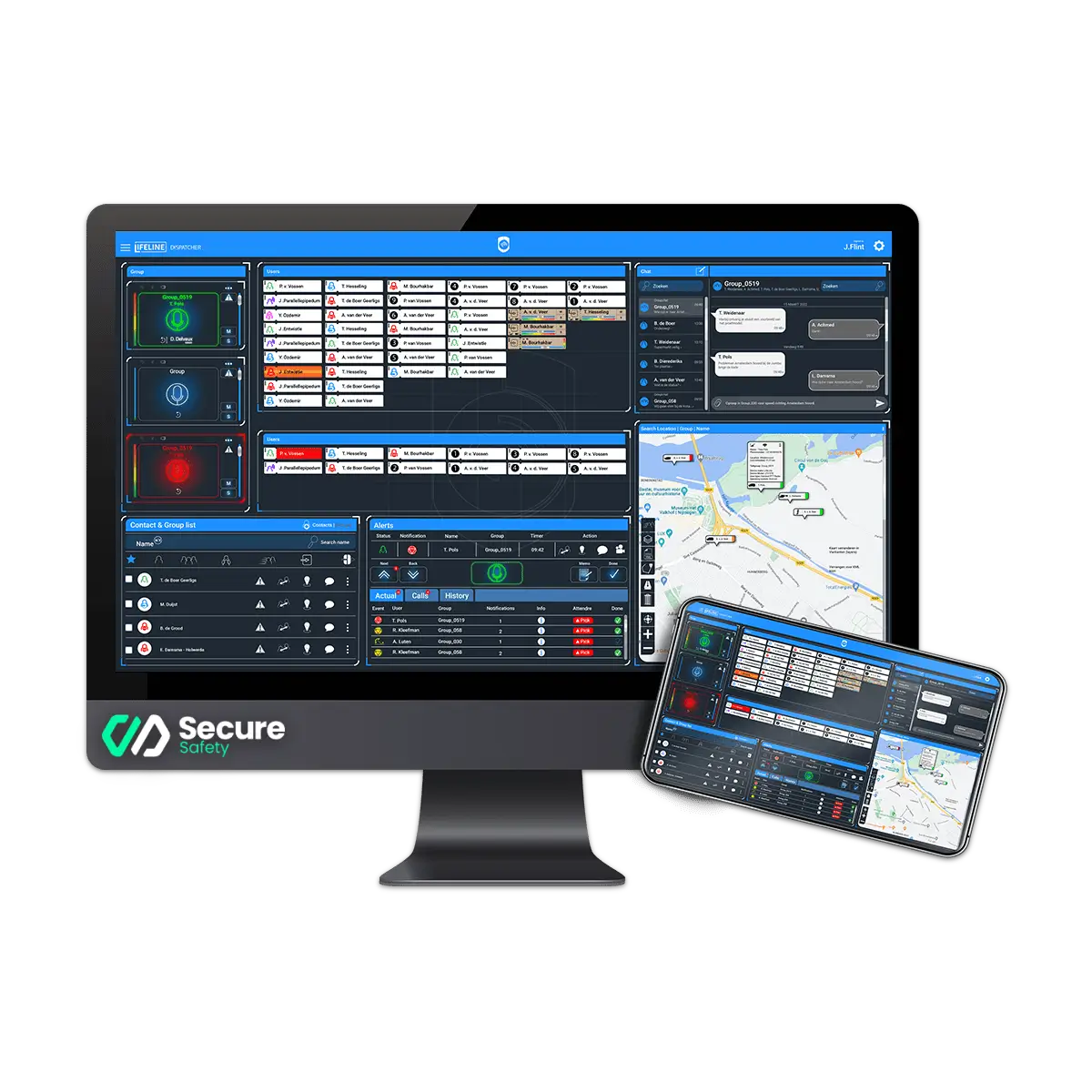 The SecureSafety edge processing unit sits inside the site's OT network. No video leaves the device; only event metadata crosses to the IT network — reducing the IT/OT attack surface to a narrow, auditable data channel.
RTSP authentication. Camera streams should be protected with authentication credentials — username and password at minimum, digest authentication preferred. Unauthenticated RTSP streams are accessible to any device on the same network segment. This is a common gap in camera installations: cameras deployed with default credentials or without RTSP authentication because it was convenient at the time. A camera audit during the discovery phase of a safety AI deployment should verify authentication status for every camera in scope.
The SecureSafety edge processing unit sits inside the site's OT network. No video leaves the device; only event metadata crosses to the IT network — reducing the IT/OT attack surface to a narrow, auditable data channel.
RTSP authentication. Camera streams should be protected with authentication credentials — username and password at minimum, digest authentication preferred. Unauthenticated RTSP streams are accessible to any device on the same network segment. This is a common gap in camera installations: cameras deployed with default credentials or without RTSP authentication because it was convenient at the time. A camera audit during the discovery phase of a safety AI deployment should verify authentication status for every camera in scope.
Camera firmware currency. IP cameras run embedded software that receives security updates from the manufacturer. A camera running three-year-old firmware may have known vulnerabilities with published exploits. Firmware version should be checked against the manufacturer's current release and updated where it is materially behind. This should be part of the pre-deployment camera audit, not an assumption.
VLAN segregation. If existing cameras share a network segment with building management systems, BMS control panels, or general IT devices, that shared segment extends the attack surface unnecessarily. Camera-only VLANs are the correct baseline architecture for any serious deployment.
Physical security of the camera network switch. The patch panel or aggregation switch for the camera network should be in a locked cabinet in a controlled access location. An unsecured switch point is a physical access point to the camera network that bypasses all logical security controls.
Default credential elimination. Every camera should have a unique, non-default password. A camera shipped with the manufacturer default credentials (admin/admin or equivalent) is accessible to anyone who knows the manufacturer's default, which is public knowledge. This is basic but consistently overlooked in installations that were set up quickly.
Vendor Access Controls
If the safety AI vendor requires remote access for support, model updates, or diagnostics, that access is the most sensitive external connection in the entire architecture. The IT security team should require documented answers to the following questions before deployment:
Access method. VPN with multi-factor authentication and session logging is the minimum acceptable standard for remote access to an OT-adjacent device. Direct remote desktop accessible from the public internet is not acceptable. A jump host or bastion server controlled by the customer IT team is preferable to a vendor-controlled VPN endpoint.
Session scope. Can the vendor access only the AI application and its configuration, or does the remote session provide operating-system-level access to the edge server? OS-level access should require explicit customer approval for each session.
Session logging. Are all vendor remote sessions logged with connection timestamps, source IP, duration, and — where technically feasible — session activity? Is that log accessible to the customer's IT security team for review?
Session scheduling. Is vendor access available at any time without notification, or is it pre-scheduled with customer approval and time-limited? Scheduled, approved, time-limited sessions are appropriate for OT-adjacent devices. Standing access that can be used at any time without notice is not.
Credential management. Does the vendor's access use shared team credentials, or are individual named accounts used? Shared credentials make post-incident forensics impossible — it is not possible to determine which individual took which action in a shared-credential session.
Access termination. When the contract ends, how is vendor access revoked, and is the revocation process documented and verifiable? The customer should have a mechanism to independently verify that access has been removed, not simply accept the vendor's assurance.
What to Ask a Safety AI Vendor in Your IT Security Review
A structured vendor security questionnaire for a safety AI deployment should require documented, specific answers — not marketing language — to the following:
- Provide a network architecture diagram showing all connections the edge device makes, inbound and outbound, with the protocol and port for each.
- What data does the device send off-site under any circumstances? List all outbound data flows, including telemetry, model update retrieval, and alert notifications.
- What operating system does the edge device run, and what is the patch cycle for OS security updates? Who is responsible for applying them?
- How are AI model updates delivered? Do they require active outbound internet access from the edge device, or are they applied on-site from removable media or via a controlled update server?
- Who has remote access to the edge device, by what method, and what logging is in place for those sessions?
- Does the device have any standing outbound internet connections? If so, what are they, and can they be restricted to an allow-list that the customer controls?
- What is your vulnerability disclosure and response process? Do you participate in a CVE programme or industry ISAC?
- Has the platform undergone a third-party penetration test in the past eighteen months? Can you provide the executive summary or evidence of remediation?
- How is data at rest on the edge device protected — is the storage encrypted?
- What happens to customer data on the device at contract end? What is the documented data deletion process?
12-Point IT/OT Security Checklist
Network and segmentation:
-
- Camera network is on a dedicated VLAN, isolated from the corporate IT network and from plant control systems
-
- AI edge server is on a defined network segment with documented firewall rules governing all inbound and outbound traffic
-
- Outbound connections from the AI server are on an explicit allow-list approved by the IT security team
-
- No unnecessary inbound connections are permitted to the AI edge server from the corporate or internet-facing network
Camera security:
-
- All cameras in scope have authenticated RTSP streams — no cameras with default or unauthenticated access
-
- Camera firmware is current, verified against the manufacturer's latest security release
-
- Camera aggregation switch and patch panel are in a locked physical enclosure
Vendor access:
-
- Vendor remote access uses MFA-authenticated VPN or equivalent — no direct internet-facing remote desktop
-
- All vendor remote sessions are logged with timestamps, source, and session duration, with logs accessible to the customer IT team
-
- Vendor access is pre-approved, time-limited, and can be revoked by the customer independently
Data governance:
-
- All data flows from the AI edge device are documented and reviewed against UK GDPR obligations — video footage must not leave the site; event metadata flows must have a documented lawful basis and data processing agreement where applicable
-
- Data retention policy, deletion schedule, and end-of-contract data handling procedures are documented in the contract and verified as technically implemented
Offshore Proof Under High-Security Conditions
Oil and gas platform operators apply some of the most rigorous network security governance in any industry — NIST Cybersecurity Framework compliance, strict OT/IT segmentation, and in some cases regulatory oversight of network architecture. SecureSafety has been deployed across thirteen offshore platforms since 2018, navigating the IT and OT security reviews of national oil major operators whose security teams are among the most demanding in the world.
The architecture that passes those reviews is the same one we bring to onshore deployments: fully on-premise video processing, explicit allow-listed outbound connections, time-limited vendor access with full session logging, and no video data leaving the customer's network under any circumstances.
If you want to walk through the security architecture before your IT team reviews it, book a demo. We can provide network architecture diagrams, a completed vendor security questionnaire, and references from IT security teams at existing customer sites who have completed their own review.